
Planet
Planet provides medium to high-resolution optical imagery through their PlanetScope and SkySat constellations. Our algorithms specifically require Analytic bundles which include Useable Data Masks (UDM2) for cloud and shadow detection.
PlanetScope (PSScene)
Supported Product IDs: PL-PSScene4Band, PL-PSSceneSR
| Parameter | Value |
|---|---|
| Item Type | PSScene |
| Product Bundle | analytic_udm2 analytic_sr_udm2 |
| Resolution | 3-4 meters |
| Bands | 4-band (Blue, Green, Red, NIR) or 8-band |
Product Bundle Options: (Full Bundle Reference)
analytic_udm2- Top of Atmosphere (TOA) radiance with Usable Data Mask 2.0analytic_sr_udm2- Surface Reflectance with Usable Data Mask 2.0 (atmospherically corrected)
Notes:
- UDM2 provides cloud, shadow, haze, and snow/ice masks for quality filtering
- Surface Reflectance (SR) products may have publishing delays compared to TOA products
- PSScene4Band is deprecated as of November 2022; use PSScene instead
- Do not use harmonize. It normalizes colors with Sentinel-1, which is 10m/px and will severely degrade algorithm performance
- Do not use composite. It combines all scenes into a single file which makes it difficult to process
Planet Explorer
A great way to discover and download imagery is using the Planet Explorer. Once you login, next set a filter for PlanetScope scenes like this:
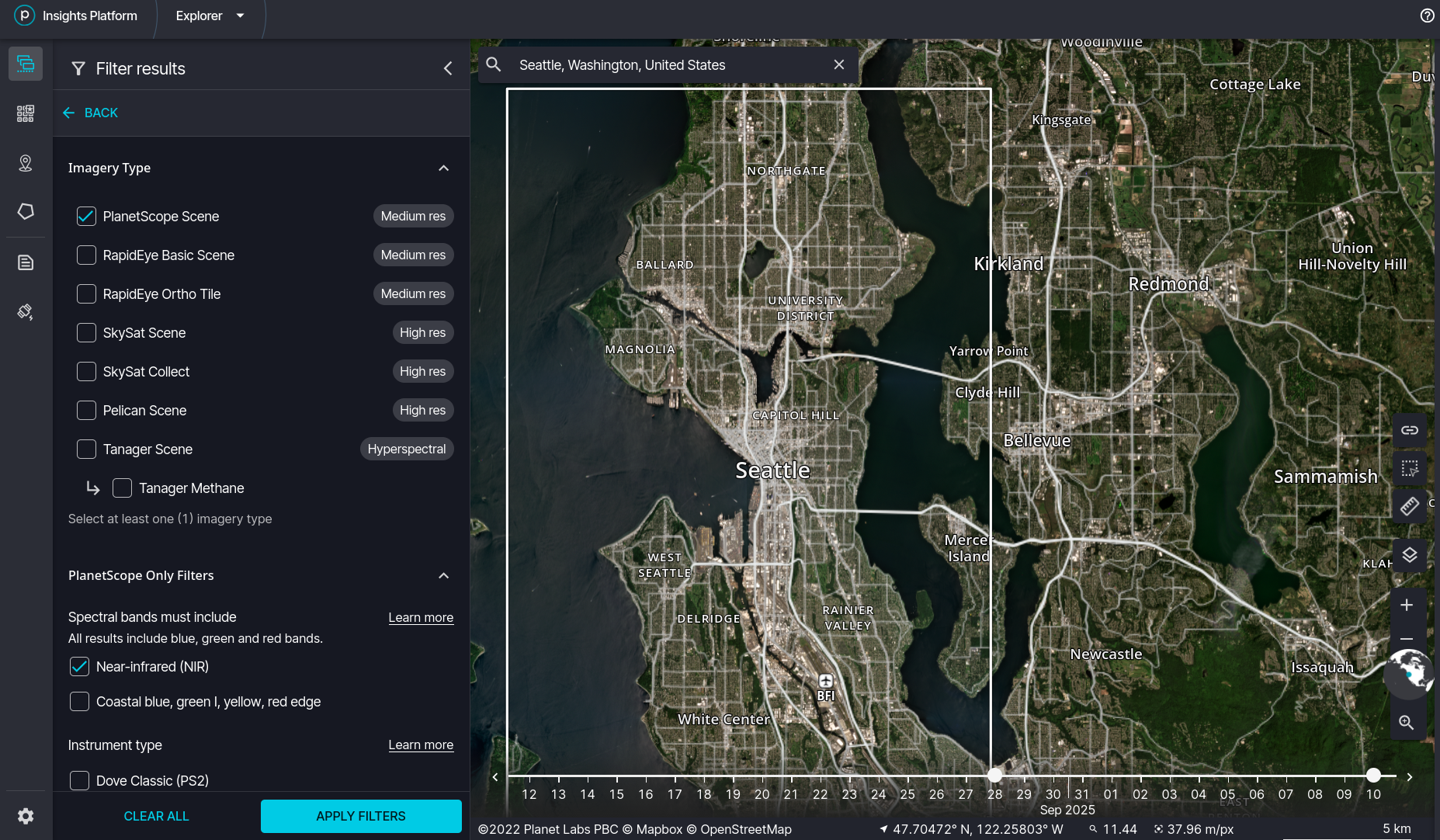
Once you have found the scenes you want to download, add them to your order.
When ready, complete your order by opening the Order Wizard. On the Select Assets step, select Surface Reflectancelike this:
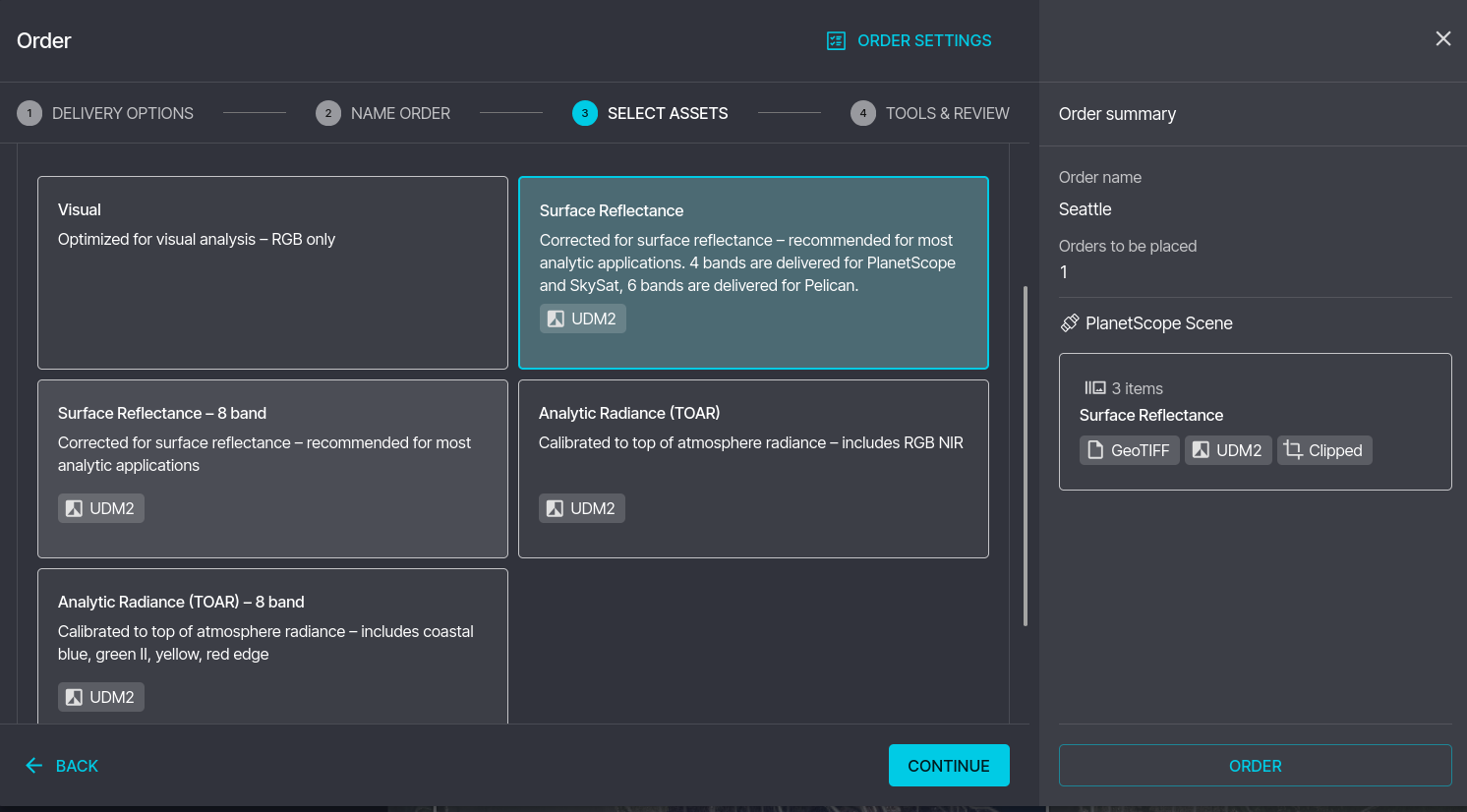
Then on the Tools & Review step, select Cloud Optimized GeoTiff (COG). Do NOT select Composite Items or Harmonize. Your page should look like this:
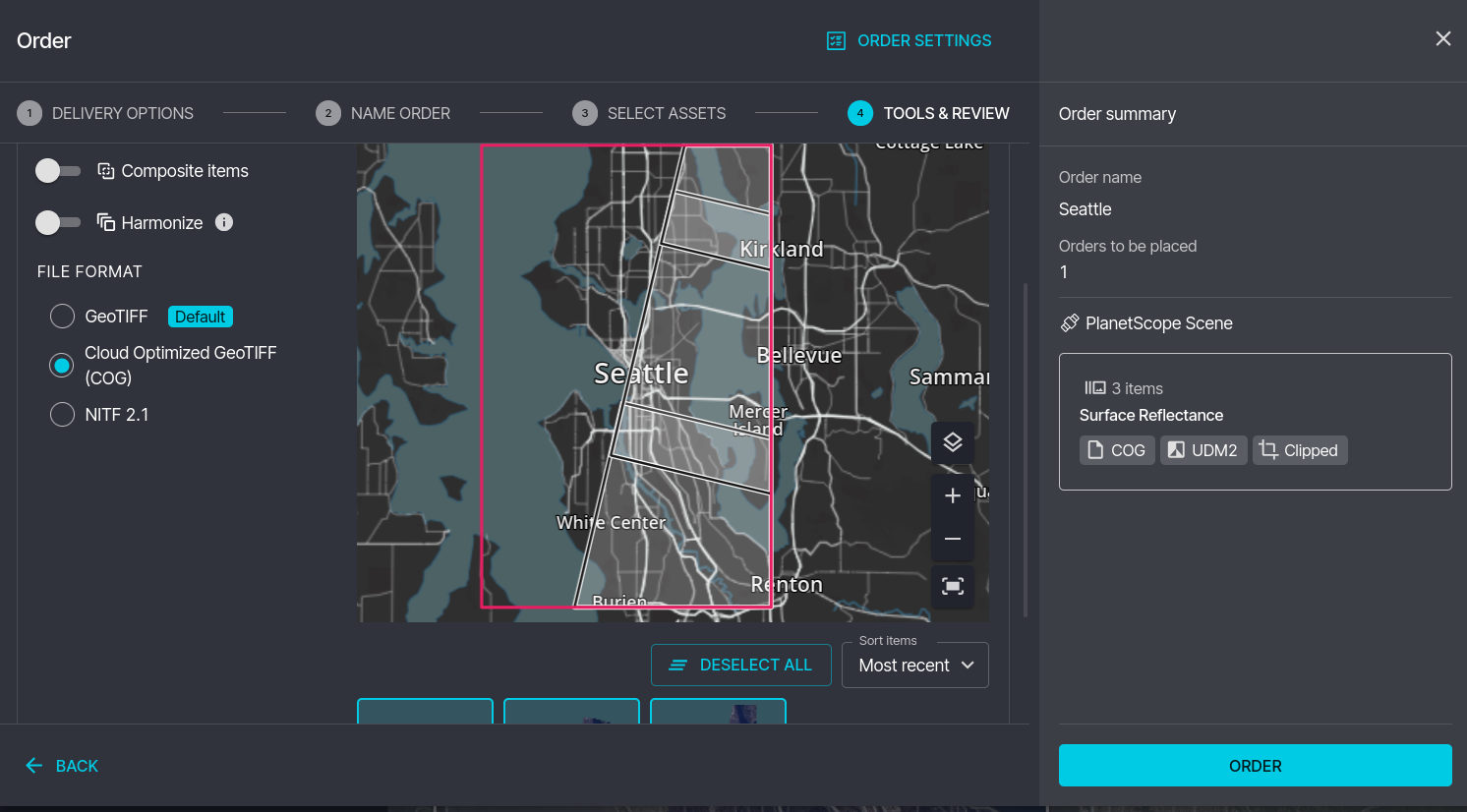
FInally place your order. Make sure to upload to Elements the exact same file that you downloaded from Planet.
SkySat
Supported Product IDs: PL-SkySatCollect, PL-SkySatScene
| Parameter | Value |
|---|---|
| Item Type | SkySatCollectSkySatScene |
| Product Bundle | analytic_sr_udm2 |
| Resolution | ~0.5-0.8 meters |
| Bands | 4-band (Blue, Green, Red, NIR) + Panchromatic |
Product Differences: (SkySat Documentation)
- SkySatScene - Individual frames, approximately 1 × 2.5 km coverage
- SkySatCollect - Mosaicked strips composed of ~60 scenes, approximately 20 × 6 km coverage (recommended for larger AOIs)
Planet Explorer
First, set a filter for SkySat Scene or SkySat Collectlike this:
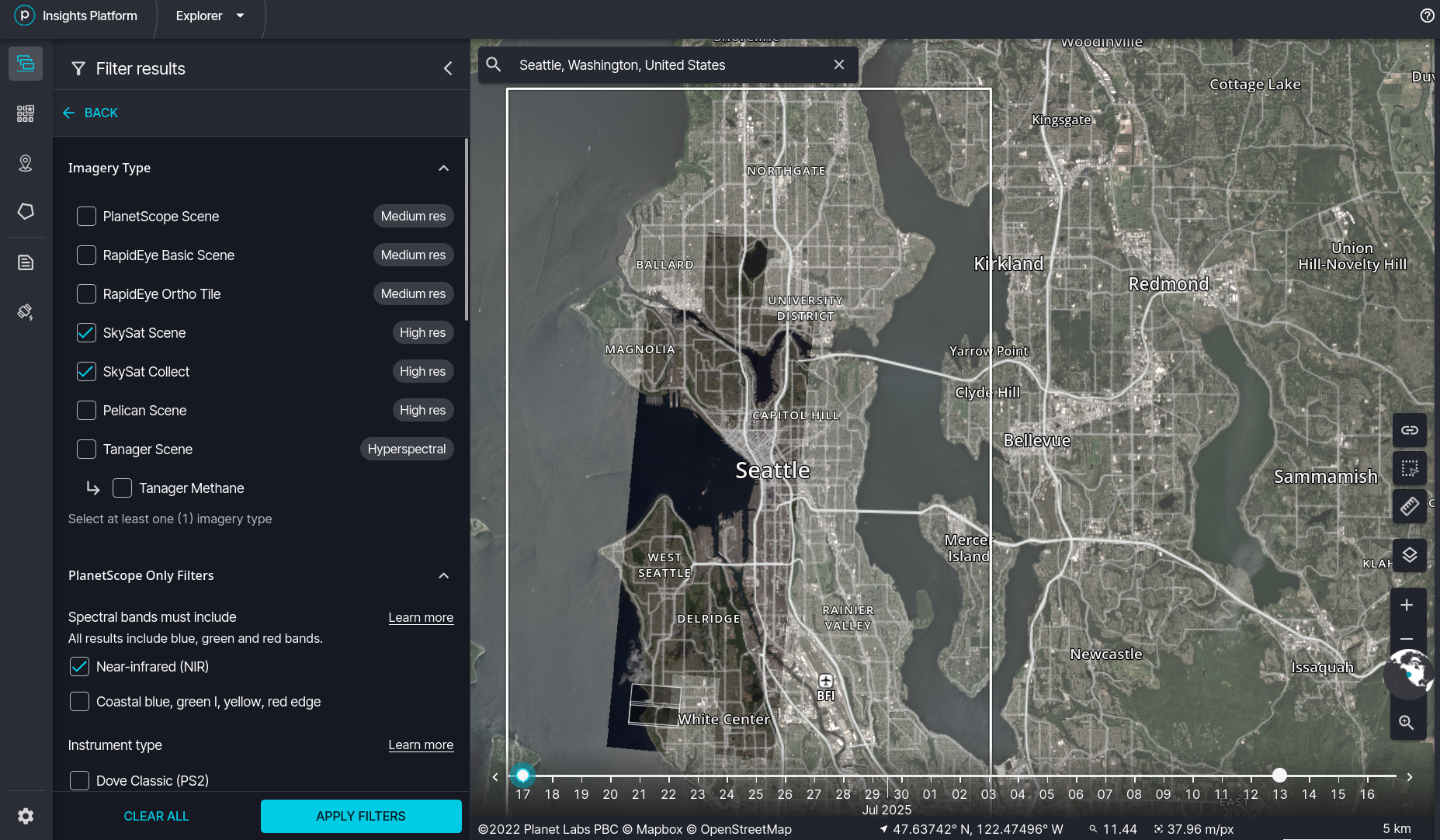
The difference is that SkySat Collect is the tuning fork shaped image you see on the map, while the scenes are rectangular subsets of the Collect. There are roughly 50 to 70 scenes per collect. If you task Skysat, then you must order the entire collect. If instead you are ordering archival data, then you can order only the scenese that are pertinent to your AOI. Once you have found the Collects or Scenes you want to analyze, add them to your order.
Again, open the Ordering Wizard. Then on the Select Assets step, select Surface Reflectancelike this:
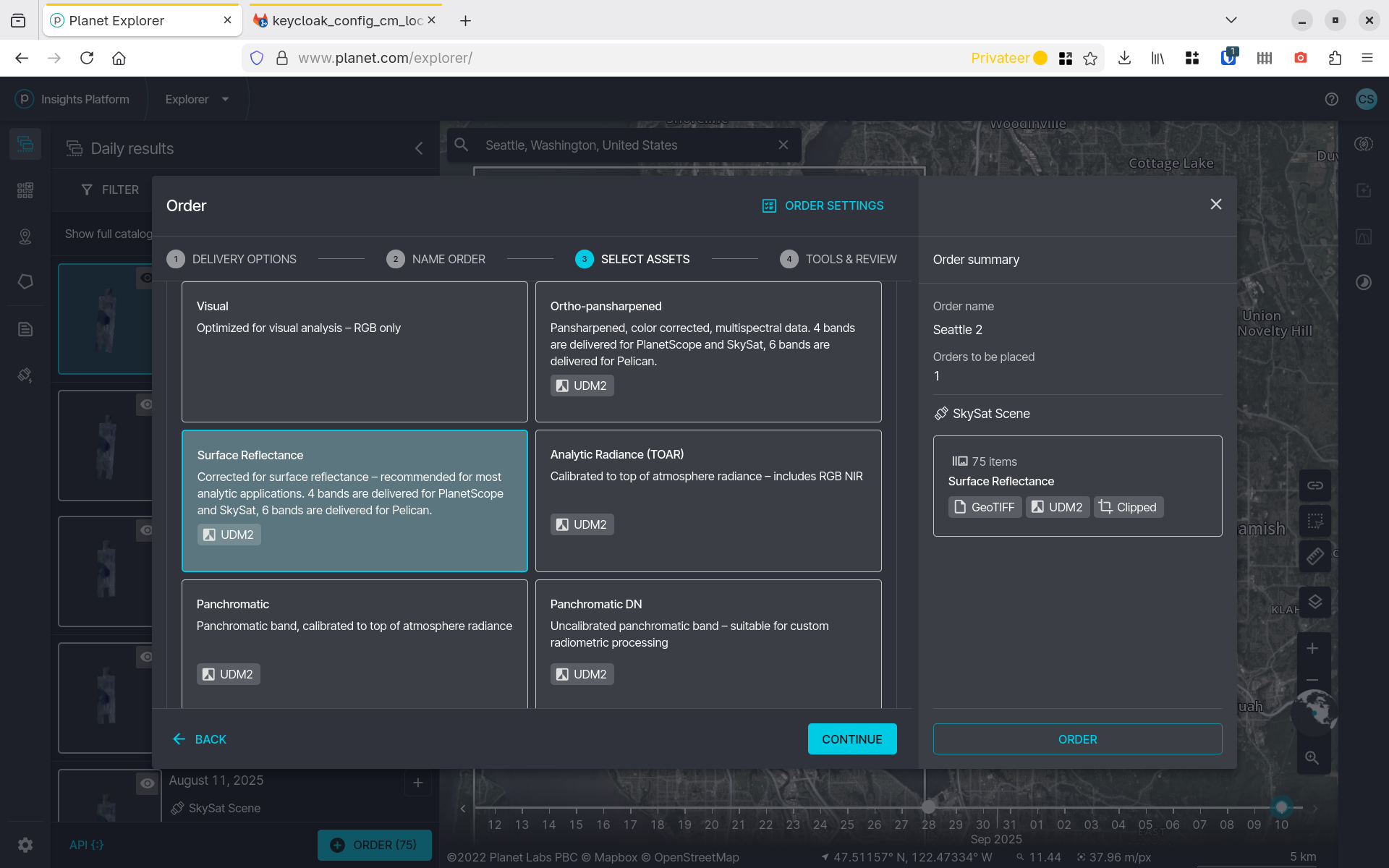
Then on the Tools & Review step select Cloud Optimized GeoTiff (COG).
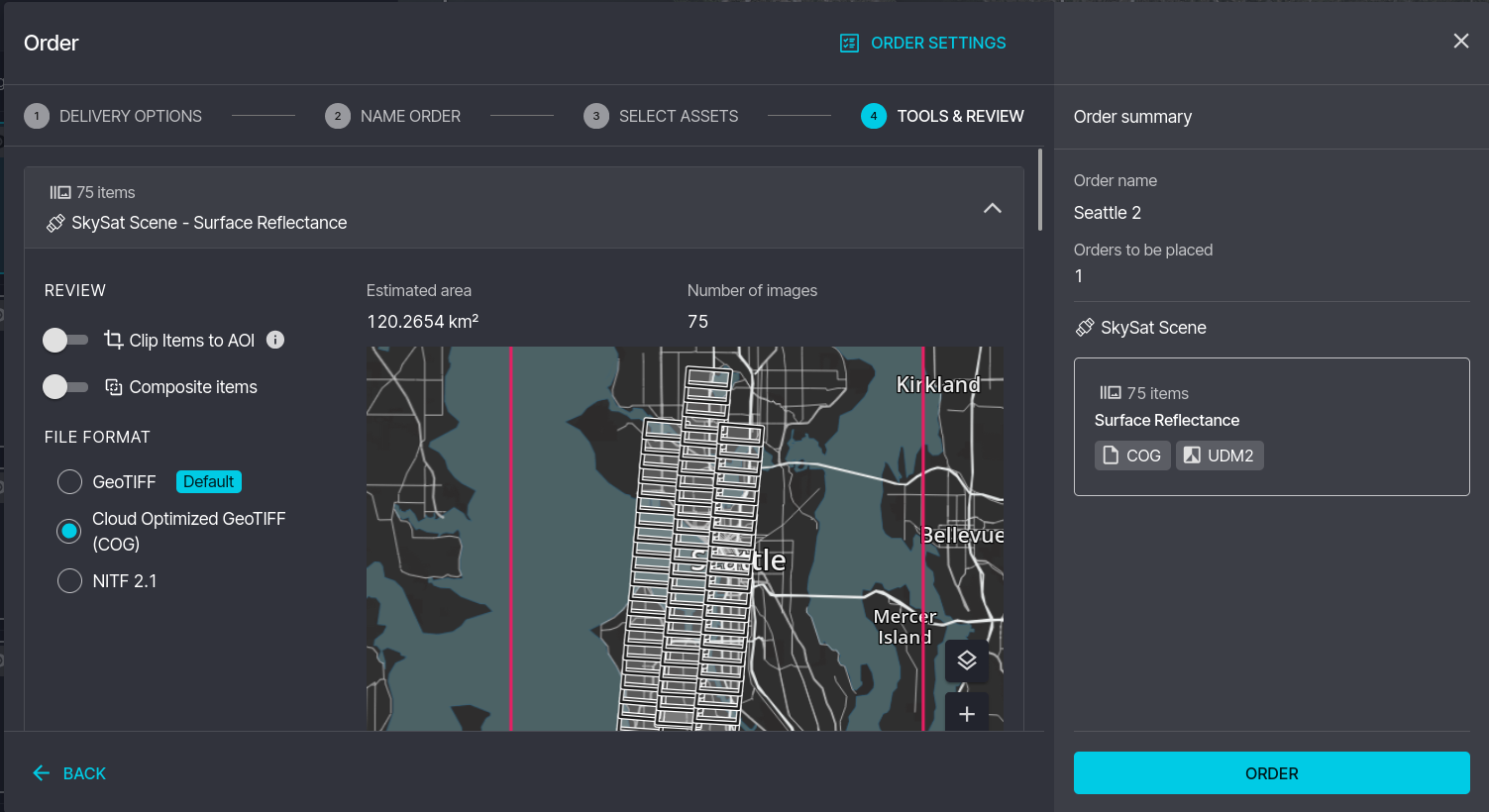
Notice in the image above you can see the individual scenes that make up the collect.
Explorer & Ordering Links
| Resource | URL |
|---|---|
| Planet Explorer (Browse/Search) | https://www.planet.com/explorer/ |
| Orders API Documentation | https://developers.planet.com/apis/orders/scenes/ |
| PSScene Documentation | https://docs.planet.com/data/imagery/planetscope/psscene/ |
| SkySat Documentation | https://docs.planet.com/data/imagery/skysat/ |
| Product Specifications PDF | https://assets.planet.com/docs/Planet_Combined_Imagery_Product_Specs_letter_screen.pdf |
Updated 9 months ago