
Create a Project
When you click the 'Create Project' button in the project library page, you will be directed to the 'Project Creation' page:
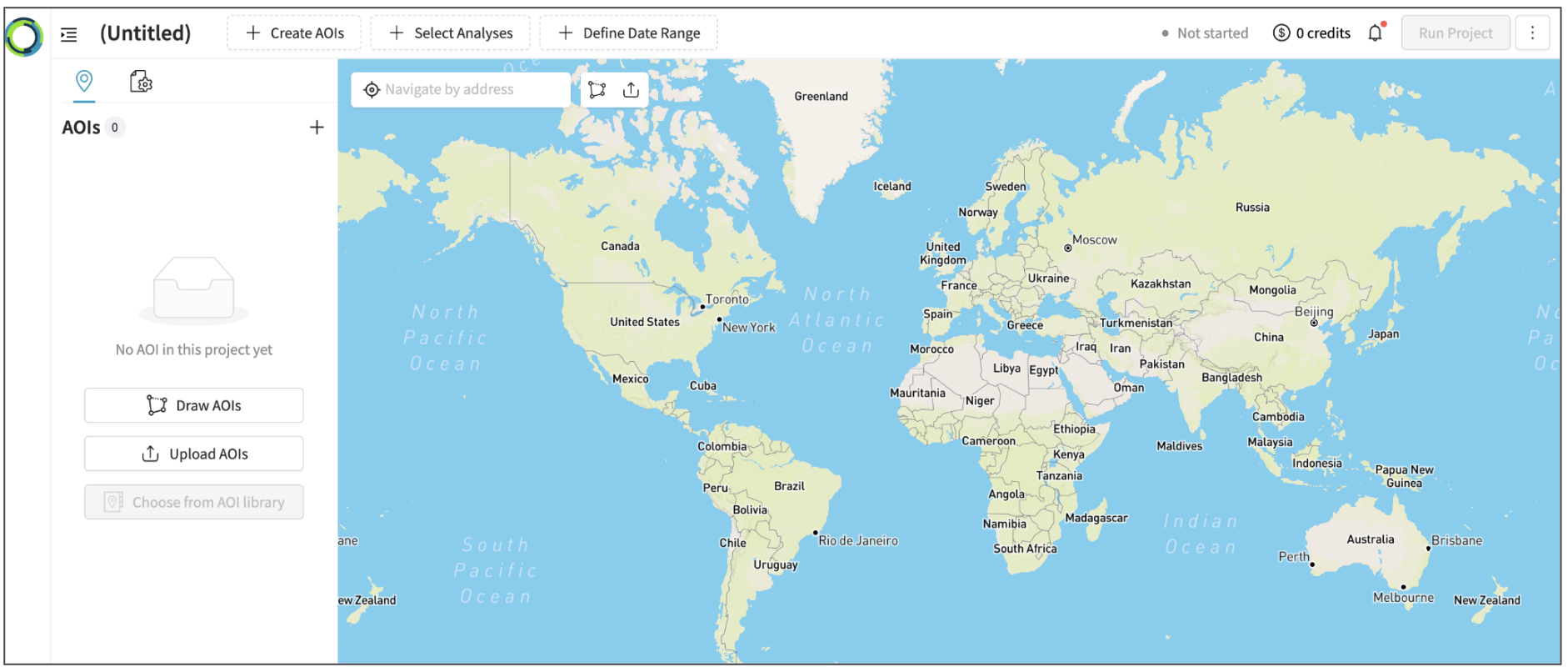
Project Creation Steps
Here, you can create a project using following steps.
For the details, please check the link to Next Steps below.
-
Step 1. Name a project
-
Step 2. (As necessary) Change the Base Map
-
Step 3. Select Areas of Interest (AOI) - draw a multi polygon or upload AOI/s
-
Step 4. Select Analysis/es - select from OI Library or User Library
-
Step 5. Select Times of Interest (TOI) - select start Date and End Date
-
Step 5. Select Time of Interest (TOI) - select start Date and End Date
Updated 10 months ago
Did this page help you?