
Comparing across AOIs and Analyses
As stated in the Application Overview section, following are big updates as compared to GO:
- Run multiple analyses in the same project without having to create duplicate projects.
- Compare multiple time series across AOIs and Analyses and visualize map results for certain selections of AOIs and analyses
Please see below how you can compare results across AOIs and Analyses on Elements:
1. Compare across AOIs
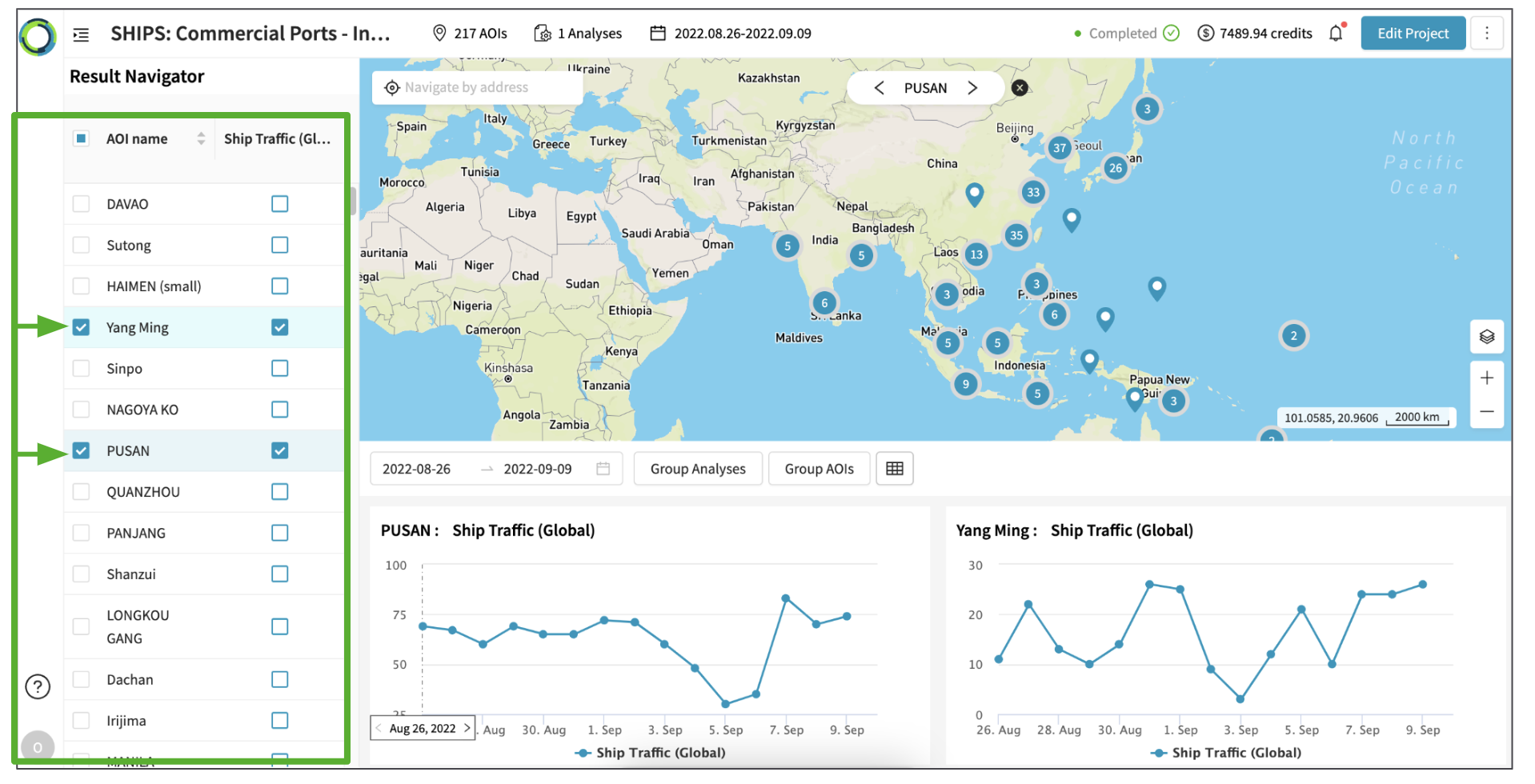
To compare analysis results across multiple AOIs, follow the steps below:
- In the left-hand panel, click the checkbox of the AOI and Analysis to visualize their results.
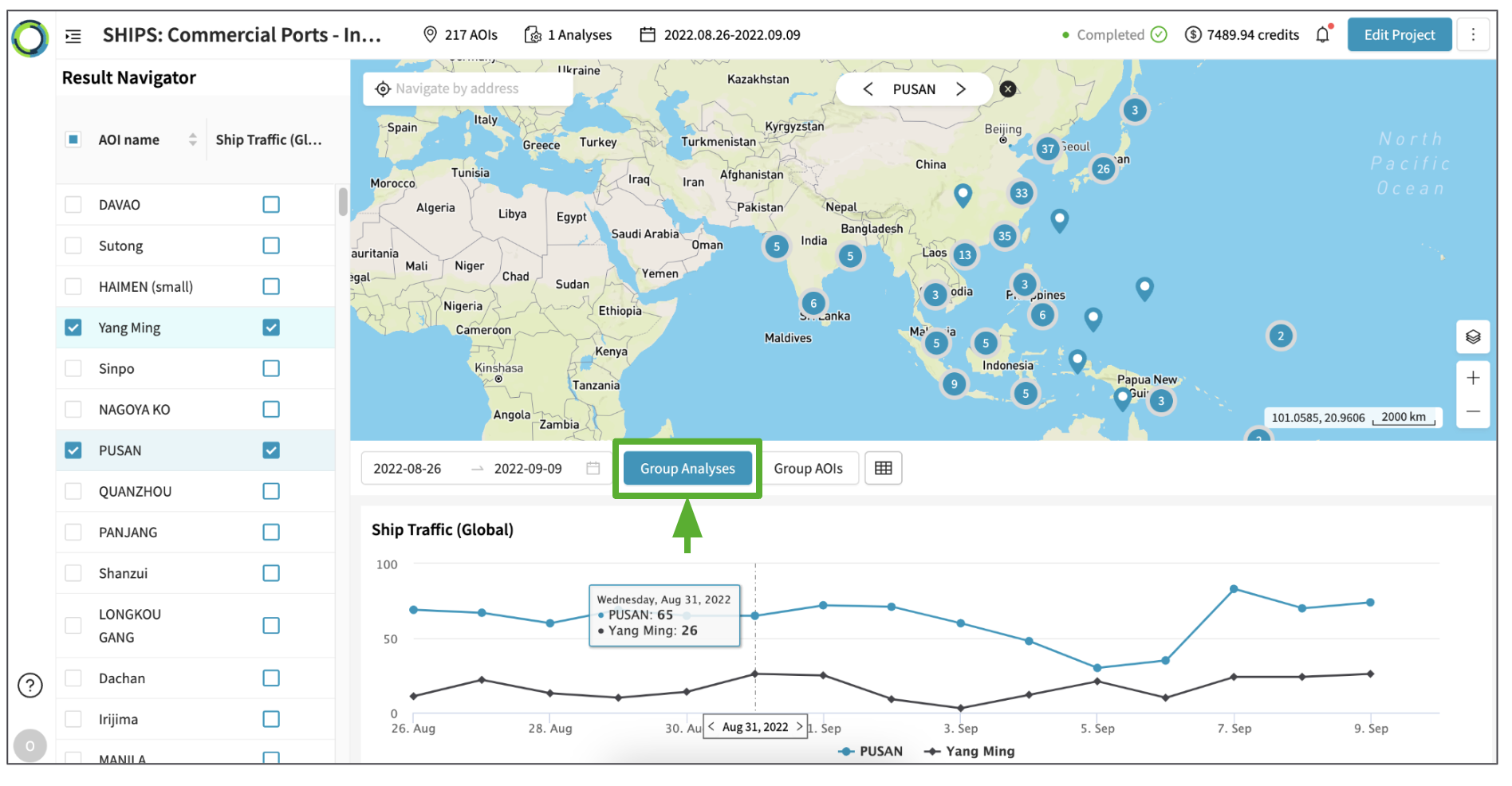
- Then, click 'Group Analyses'.
You will see that the time series chart for the selected AOIs are merged into one chart.
2. Compare across Analyses
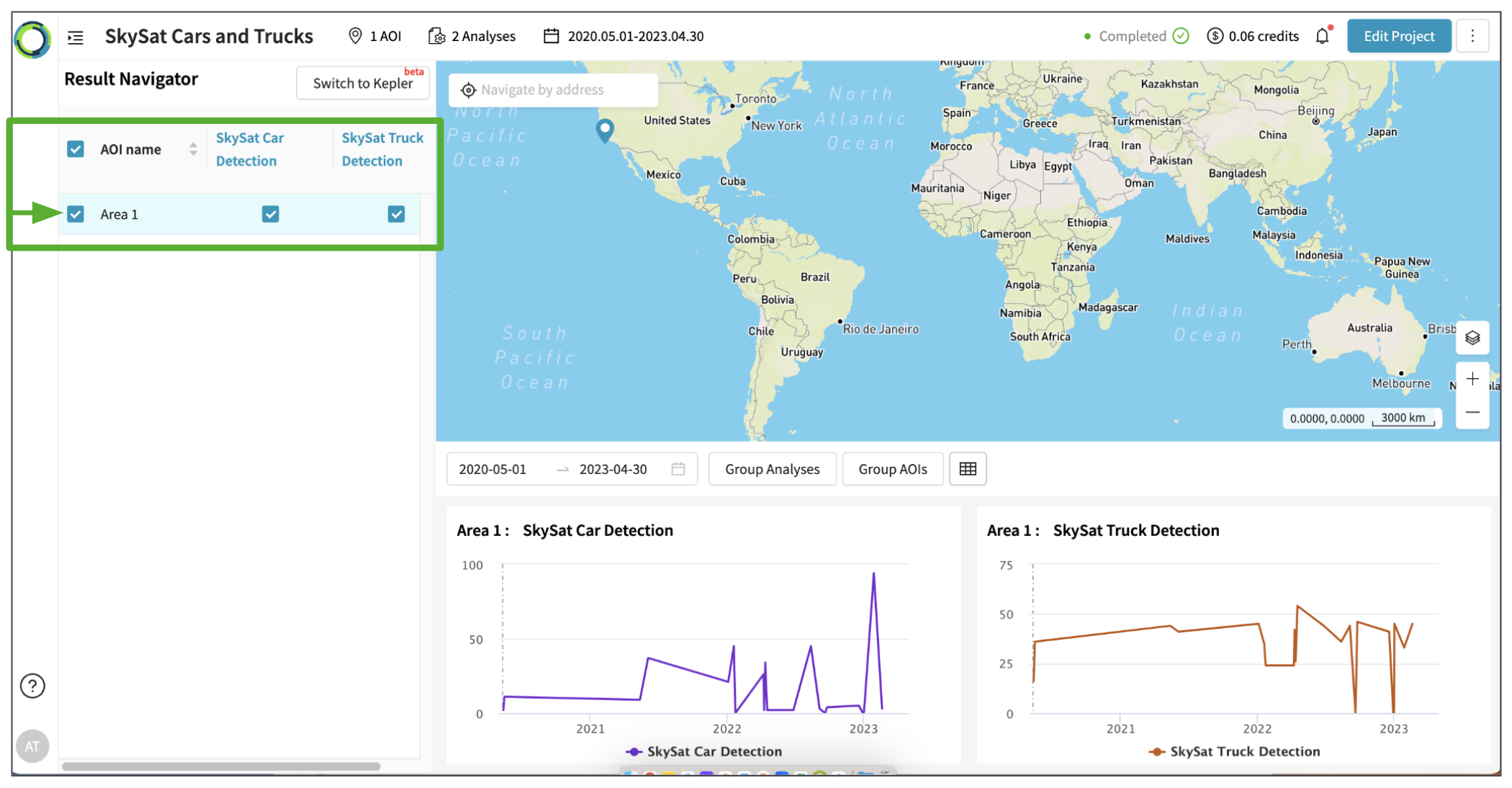
To compare analysis results across multiple Analyses, follow the steps below:
- In the left-hand panel, click the checkbox of the AOI and Analysis to visualize their results.
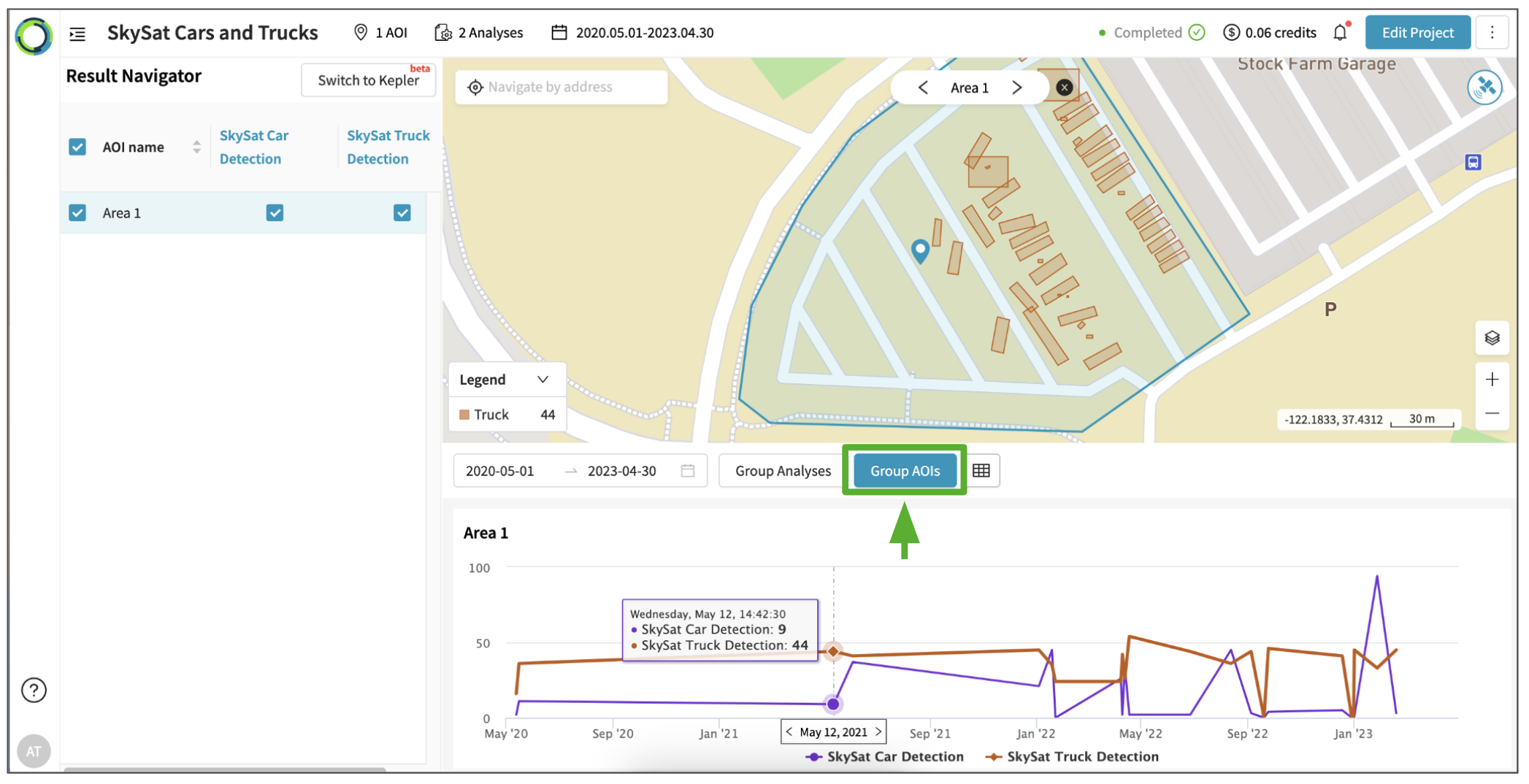
- Then, click 'Group AOIs'.
You will see that the time series chart for the selected Analyses are merged into one chart.
Updated 10 months ago
Did this page help you?