
Copernicus (Sentinel-1)
Sentinel-1 provides free, open-access C-band SAR imagery from the European Space Agency. Elements uses it to run deformation analyses. This uses interferometry which requires using two separate radar observations of the same area before and after the change took place.
Deformation analysis uses the IW_SLC__1S product type for more information see https://sentiwiki.copernicus.eu/web/s1-products
| Parameter | Value |
|---|---|
| Product Type | IW_SLC__1S |
| Frequency | C-band (5.405 GHz) |
| Resolution | 10-40 m (depending on mode) |
| Polarization | VV or VV+HH |
| Acquisition Mode | Extra Wide (EW) |
Key Characteristics: (Copernicus Data Space)
- 6-day revisit time (with constellation)
- Free and open data policy
- Systematic global coverage
- Ideal for wide-area monitoring
Copernicus Browser
A great way to discover and download Sentinel 1 imagery is using the Copernicus Browser. Once you login, next set a filter for Sentitel scenes by opening the search tab on the left like this:
For deformation analysis you will need two images of the same area separated by time. For the analysis to work, both images must have be:
- Level-1 SLC
- Operational mode - IW
- Polarization Channels - VV
In addition, the following settings must be the same for both images:
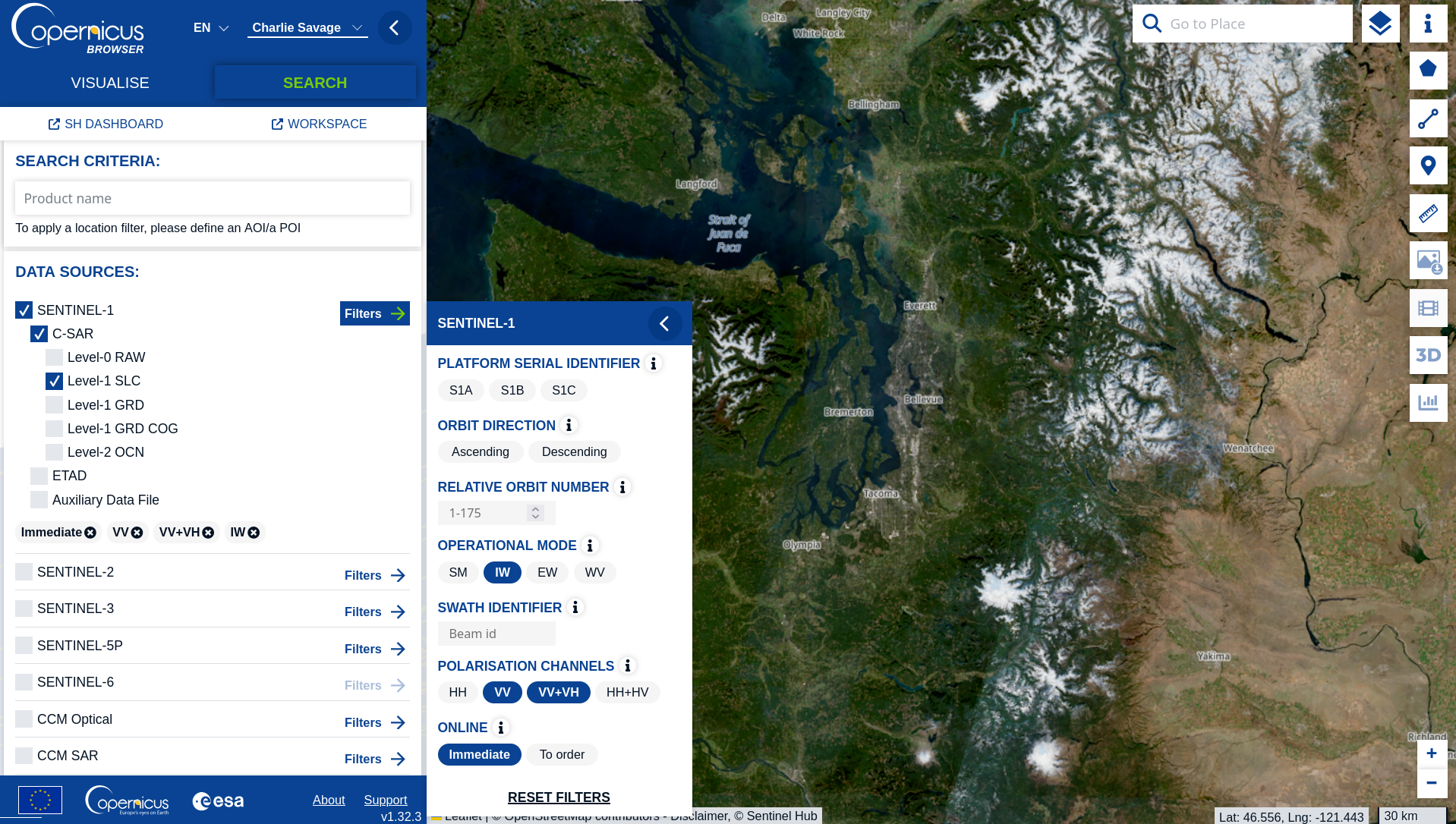
- Serial identifier (S1A, S1B, S1C are all fine)
- Orbit direction (Ascending or Descending)
- Relative Orbit number
Once you have set your filters, scroll down on the left sidebar to select a time range and then press the search button.
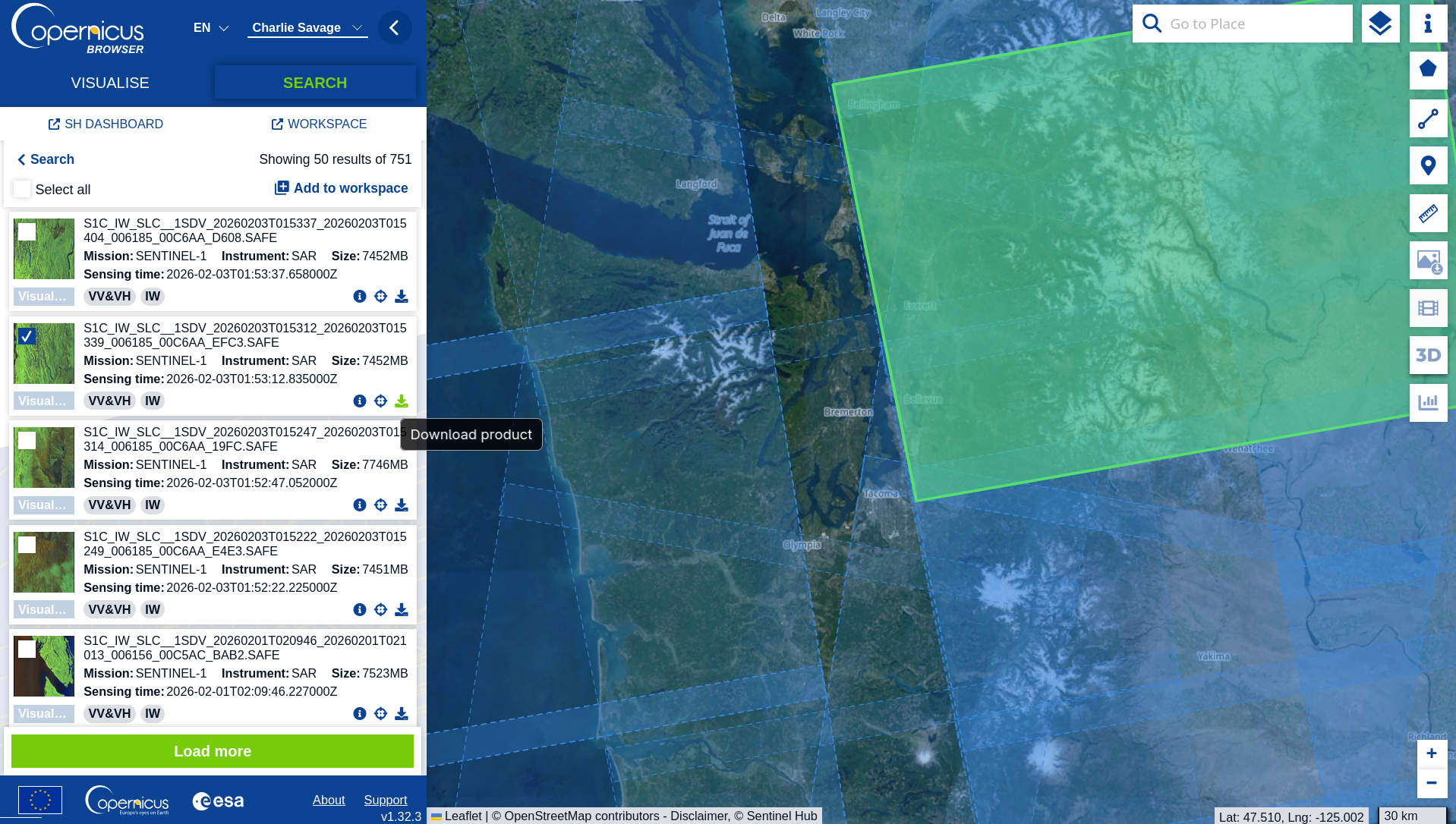
You can then download the images you want to process.
Explorer & Ordering Links
| Resource | URL |
|---|---|
| Copernicus Browser (Browse/Search/Download) | https://browser.dataspace.copernicus.eu/ |
| Copernicus Data Space Ecosystem | https://dataspace.copernicus.eu/ |
| Sentinel-1 Data Collection | https://dataspace.copernicus.eu/data-collections/sentinel-data/sentinel-1 |
| Sentinel-1 Documentation | https://documentation.dataspace.copernicus.eu/Data/SentinelMissions/Sentinel1.html |
| Sentinel Hub S1 GRD Processing | https://documentation.dataspace.copernicus.eu/APIs/SentinelHub/Data/S1GRD.html |
| SentiWiki Products Reference | https://sentiwiki.copernicus.eu/web/s1-products |
| API Access Documentation | https://documentation.dataspace.copernicus.eu/APIs.html |
Updated 8 months ago