
Manage your Account
Please click the account icon with your initials at the left bottom to manage your account:
'View Account Profile' or 'Sign Out' .
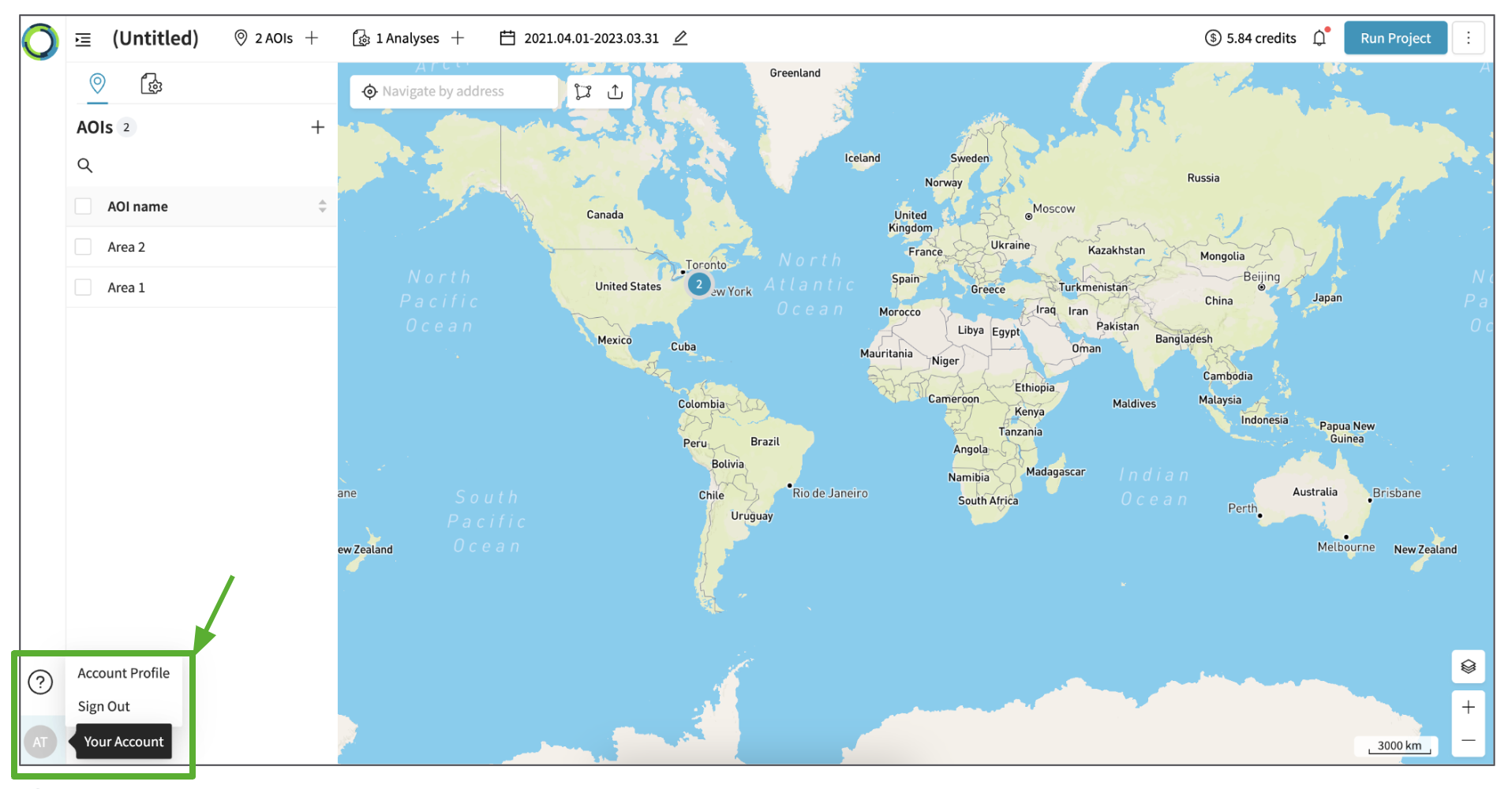
View Account Profile
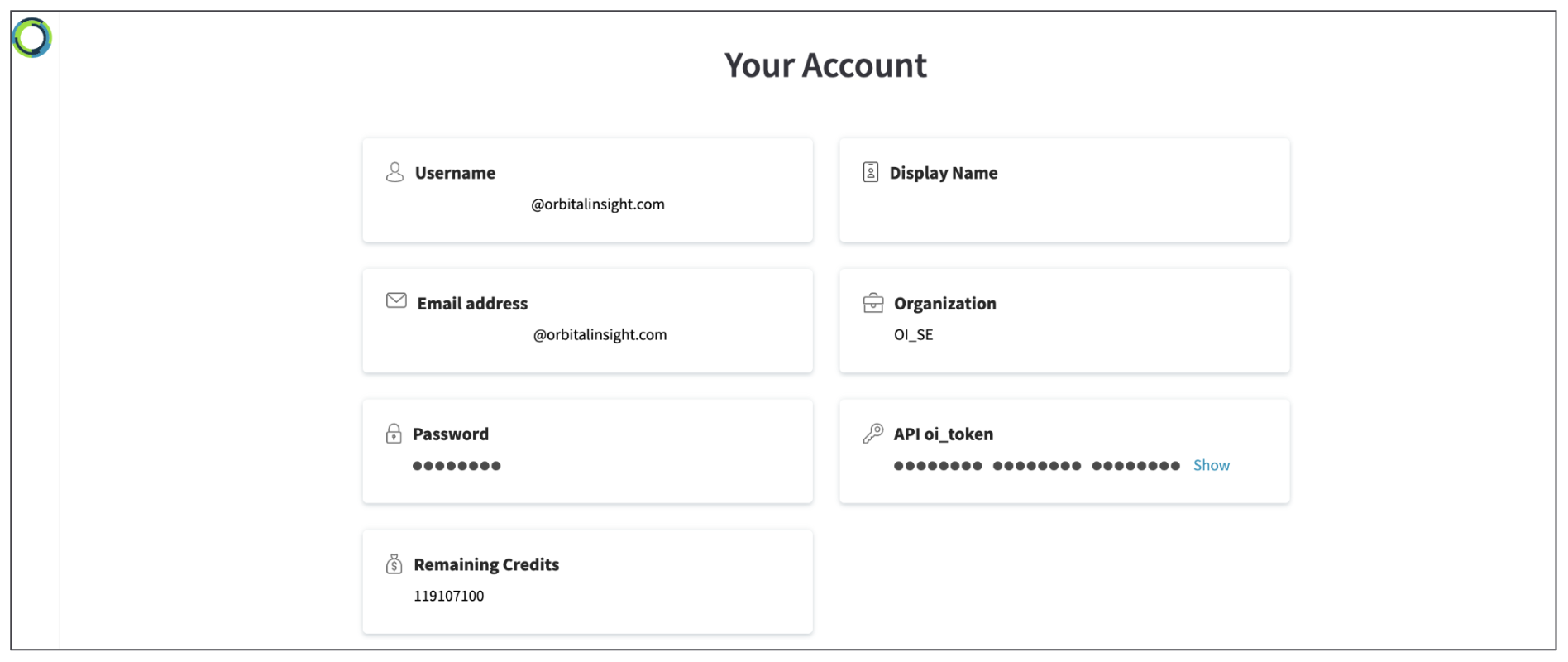
In this page, you can view your account details and download usage report.
View account details
You can view your:
- User Name
- Display Name
- Email id (used for signing into the account)
- Organization (organization that you are a part of)
- Password (you cannot reset or change your password yet.. coming soon...)
- API oi_token (allows you to authenticate to APIs)
- Remaining Credits: Total credits - Used Credits
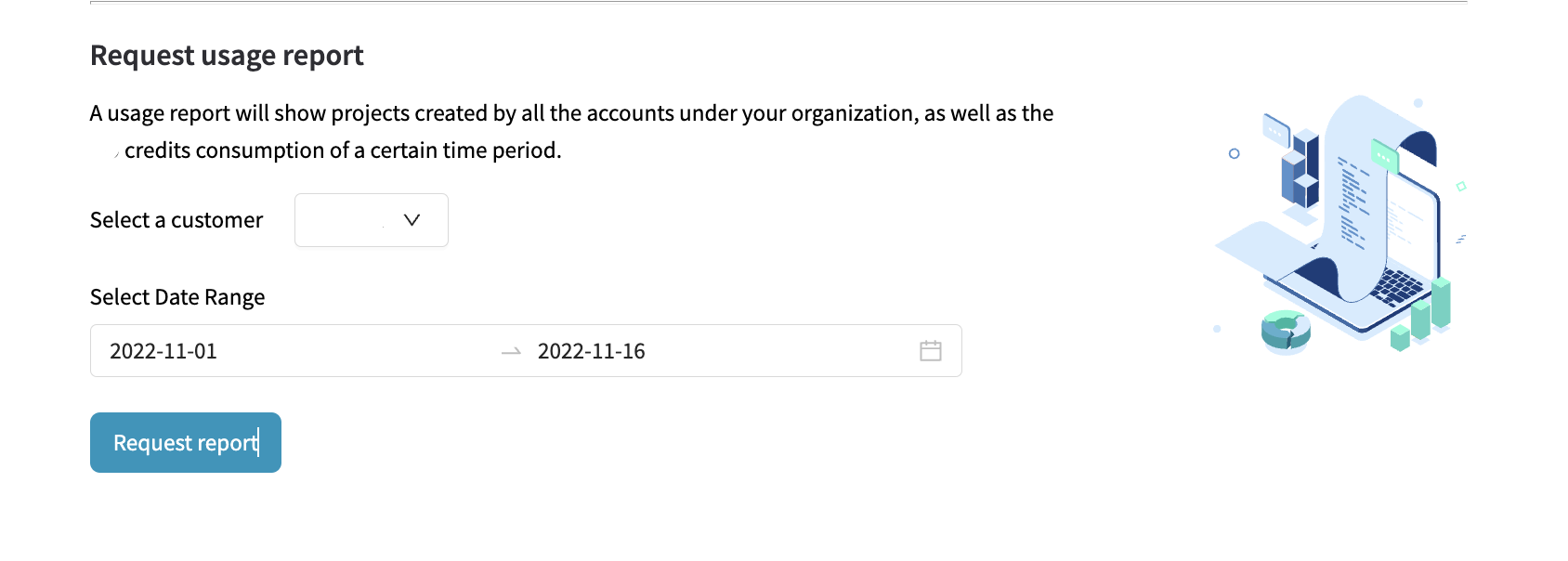
Download usage report
If you wish to understand the credits usage by all your user account or all the user accounts in your organization, you can use this tool and download the report as a .csv file.
The report details out the credit usage per analysis per project across the selected timeframe.
Updated 10 months ago
Did this page help you?